Oct 11, 2026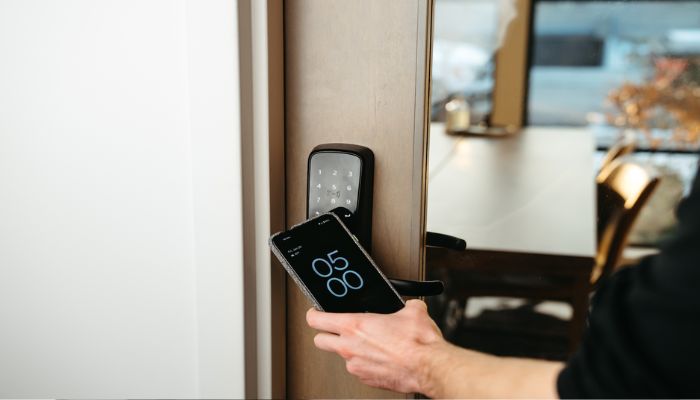
ULTRALOQ is known for its reliable smart locks for homeowners who want to replace traditional keys with more convenient digital access.
From fingerprint-enabled lever locks to NFC-compatible deadbolts, ULTRALOQ lineup combines multiple unlocking methods, built-in connectivity, and smart-home integration.
Gadinsider has rounded up some of the best ULTRALOQ smart locks to buy in 2026, comparing their key features, specifications, performance, pros, and cons to help you find the right option for your home.
Best ULTRALOQ smart locks to buy
| Smart lock | Best for | Standout features |
| ULTRALOQ U-Bolt WiFi with Door Sensor | Best overall | Built-in Wi-Fi, door-status monitoring, remote access |
| ULTRALOQ Bolt Fingerprint with Handle | Best premium | Fingerprint recognition, remote control |
| ULTRALOQ Bolt SE WiFi | Best value | Fingerprint, claimed 18-month battery life |
| ULTRALOQ Bolt NFC WiFi | Best for digital keys | NFC access, Apple Home Key support |
| ULTRALOQ Latch 5 | Best lever smart lock | Integrated handle and latch |
1. ULTRALOQ U-Bolt WiFi Smart Lock with Door Sensor
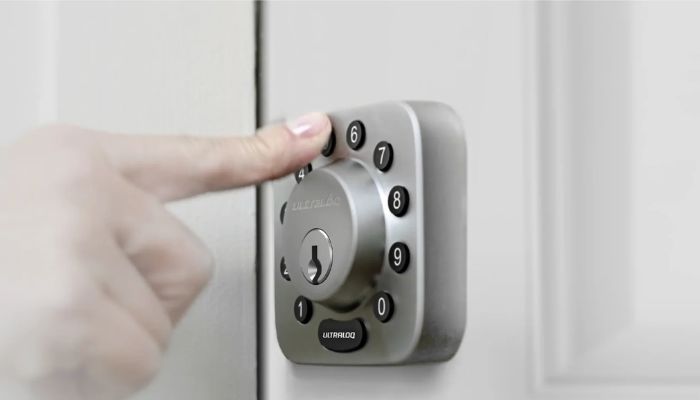
The ULTRALOQ U-Bolt WiFi Smart Lock with Door Sensor is a perfect choice for homeowners who want stronger door security and convenient remote access without installing a separate Wi-Fi bridge.
Combined with automatic locking, keypad entry, smartphone control, and a mechanical backup key, the U-Bolt WiFi offers a practical mix of everyday convenience and physical security.
Specs
| Feature | Details |
| Model | U-Bolt WiFi with Door Sensor |
| Lock type | Smart deadbolt |
| Connectivity | 2.4 GHz Wi-Fi, Bluetooth |
| Unlocking methods | Keypad, smartphone app, auto-unlock, mechanical key |
| Security rating | ANSI Grade 1, as supplied |
| Material | Zinc alloy |
| Power source | 4 AA alkaline batteries |
Performance
The U-Bolt WiFi is designed to make everyday access easier while giving homeowners more visibility into their door's security status.
Built-in Wi-Fi allows remote access management without an additional bridge, while Bluetooth supports nearby communication with compatible devices.
Pros
- Built-in Wi-Fi
- Door-status monitoring
- Strong physical security
- Multiple entry options
Cons
- Limited Wi-Fi band support
- No fingerprint reader
Today's best deals
ULTRALOQ U-Bolt WiFi Smart Lock with Door Sensor — View on Amazon
2. ULTRALOQ Bolt SE Keypad Door Lock with Handle
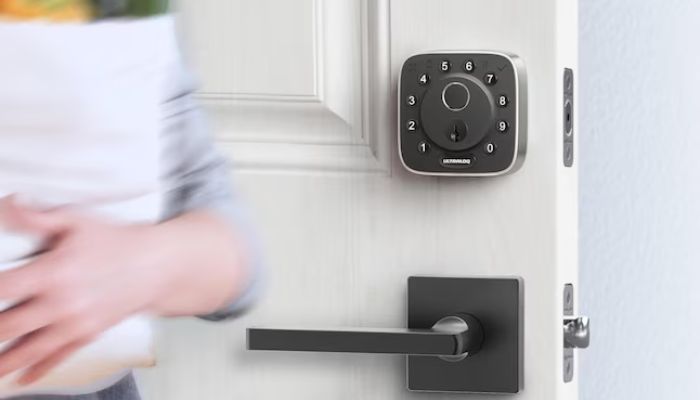
The ULTRALOQ Bolt SE Keypad Door Lock with Handle is aimed at homeowners who want a modern keyless entry system with biometric access and broad smart-home compatibility.
Its combination of fingerprint recognition, passcodes, smartphone control, and physical backup keys offers several ways to enter without relying on a traditional key every time.
Specs
| Feature | Details |
| Connectivity | 2.4 GHz Wi-Fi, Matter over Thread, Bluetooth |
| Unlocking methods | Fingerprint, passcode, app, eKeys, voice control, mechanical key |
| Smart-home compatibility | Apple Home, Alexa, Google Assistant, SmartThings, as supplied |
| Claimed battery life | Up to 18 months |
| Material | Zinc alloy |
| Certification | BHMA certified, as supplied |
| Warranty | Lifetime mechanical and 18-month electronic, as supplied |
Performance
The Bolt SE's appeal lies in its combination of biometric access and connected-home features. Fingerprint entry can be more convenient than entering a PIN repeatedly, while app-based controls and digital keys are useful for managing access for family members and visitors.
Pros
- Fingerprint access
- Multiple unlocking methods
- Smart-home flexibility
- Automatic locking
Cons
- Thread setup may be necessary
- 2.4 GHz Wi-Fi limitation
Today's best deals
ULTRALOQ Bolt SE Keypad Door Lock with Handle — View on Amazon
3. ULTRALOQ 2026 Upgrade Bolt Fingerprint Smart Lock
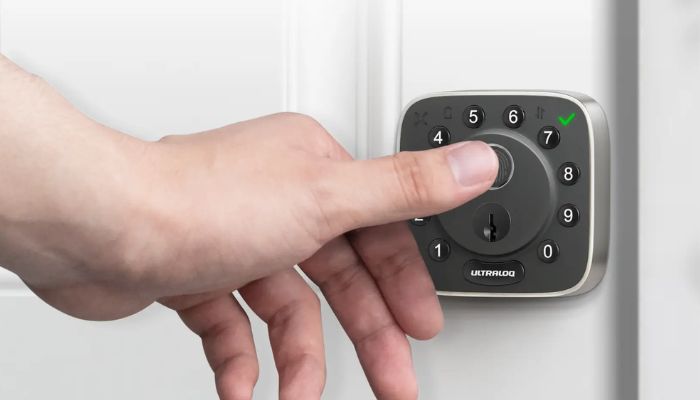
The ULTRALOQ Bolt Fingerprint Smart Lock is a strong option for homeowners who prefer biometric entry over traditional keys or frequently used PIN codes.
Designed as a connected deadbolt, it combines fingerprint recognition with app control, automatic unlocking, keypad access, and a mechanical backup key.
Specs
| Feature | Details |
| Lock type | Keyless smart deadbolt |
| Connectivity | Built-in 2.4 GHz Wi-Fi, Bluetooth |
| Unlocking methods | Fingerprint, app, PIN, voice control, web portal, auto-unlock, mechanical key |
| Fingerprint response | Claimed 0.3 seconds |
| Weather resistance | IP65 |
| Security certification | BHMA Grade AAA, as supplied |
| Smart-home compatibility | Alexa, Google Assistant |
Performance
Fingerprint recognition is the main reason to consider this model. The additional PIN and app options provide alternatives when biometric access is inconvenient.
Pros
- Fast fingerprint entry
- No separate Wi-Fi bridge
- Flexible access
Cons
- No 5 GHz Wi-Fi support
- Higher cost than basic keypads
Today's best deals
ULTRALOQ 2026 Upgrade Bolt Fingerprint Smart Lock — View at Amazon
4. ULTRALOQ Bolt NFC WiFi Smart Lock
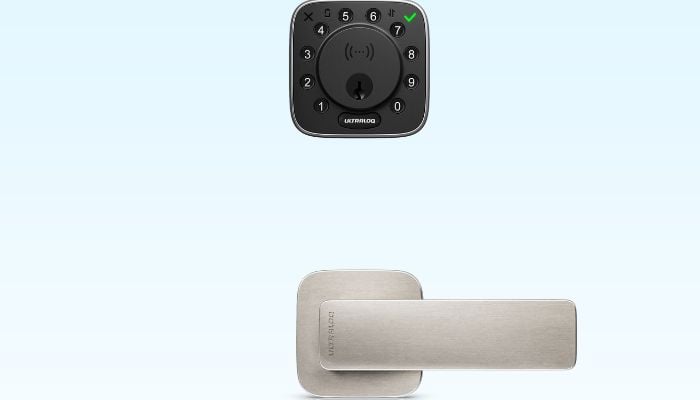
The ULTRALOQ Bolt NFC WiFi Smart Lock is designed for homeowners who want to unlock their doors using compatible phones, wearables, or digital access credentials instead of carrying a conventional key.
Built-in Wi-Fi allows the lock to connect to a compatible network without a separate bridge, giving users remote access management and activity monitoring.
Specs
| Feature | Details |
| Lock type | Smart deadbolt |
| Connectivity | Built-in 2.4 GHz Wi-Fi, Bluetooth |
| Unlocking methods | Apple Home Key, compatible Android NFC, PIN, app, auto-unlock |
| Security rating | BHMA Grade 1, as supplied |
| Weather resistance | IP65 |
| Power source | 8 AA alkaline batteries, as supplied |
| Claimed battery life | Up to one year, as supplied |
Performance
NFC access is the key advantage of the Bolt NFC WiFi. Built-in Wi-Fi also supports remote management, although battery life will depend on how frequently the lock is used and how its connected features are configured.
Pros
- Convenient NFC entry
- Apple Home Key support
- Remote management:
- Multiple backup options
Cons
- No confirmed fingerprint reader
- 2.4 GHz Wi-Fi only
Today's best deals
ULTRALOQ Bolt NFC WiFi Smart Lock — View on Amazon
5. ULTRALOQ Latch 5 Smart Lock
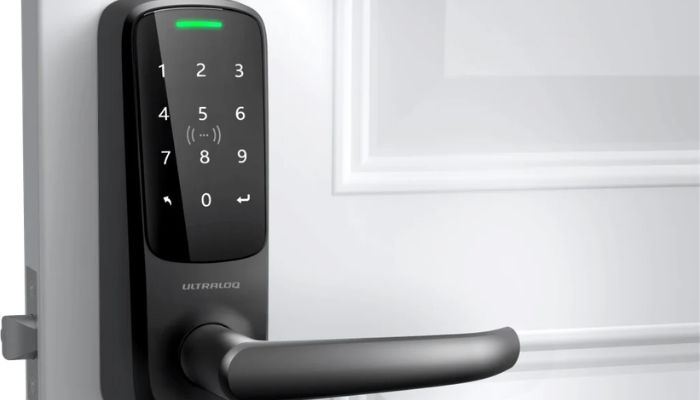
The ULTRALOQ Latch 5 Smart Lock is a practical alternative for homeowners who need to replace a complete door handle and latch rather than install a separate deadbolt.
Specs
| Feature | Details |
| Lock type | Smart lever lock |
| Connectivity | Built-in 2.4 GHz Wi-Fi, Bluetooth |
| Unlocking methods | Fingerprint, touchscreen PIN, app, eKeys, mechanical key |
| Fingerprint response | Claimed 0.3 seconds |
| Material | Zinc alloy |
| Power source | 4 AA alkaline batteries |
| Smart-home compatibility | Alexa, Google Assistant, SmartThings, IFTTT |
Performance
The Latch 5 is designed to simplify access without requiring a separate deadbolt. Its fingerprint reader offers a quick way to enter, while the touchscreen keypad gives household members and guests another option.
Pros
- Complete lever-lock design
- Fingerprint and PIN entry
- Remote access management
Cons
- Limited Wi-Fi band support
Today's best deals
ULTRALOQ Latch 5 Smart Lock — View on Amazon
Which ULTRALOQ smart lock should you buy in 2026?
The right choice depends on how you use your front door and which features matter most. A fingerprint reader can make everyday entry easier, NFC can be convenient for compatible phone users, and a door sensor adds useful information for automatic locking.
Meanwhile, a lever lock is better suited to doors that need a complete handle replacement rather than a deadbolt.
How we tested these smart locks
For this guide, we assessed the supplied product specifications and compared the features that matter most when choosing a smart lock for everyday residential use.
We also considered how each design fits a different use case. The U-Bolt WiFi's door sensor, for example, offers a different benefit from the Bolt NFC WiFi's digital access options, while the Latch 5 serves doors that require a complete lever replacement.
We considered potential limitations, including 2.4 GHz Wi-Fi requirements, battery consumption, Thread compatibility, and installation constraints.
Why trust Gadinsider
Gadinsider aims to help readers make informed technology-buying decisions through clear product comparisons, practical buying advice, and straightforward explanations of technical features.
Rather than focusing only on marketing claims, our buying-guide approach considers how specifications translate into everyday use, including installation, convenience, compatibility, and potential drawbacks.