Aug 23, 2026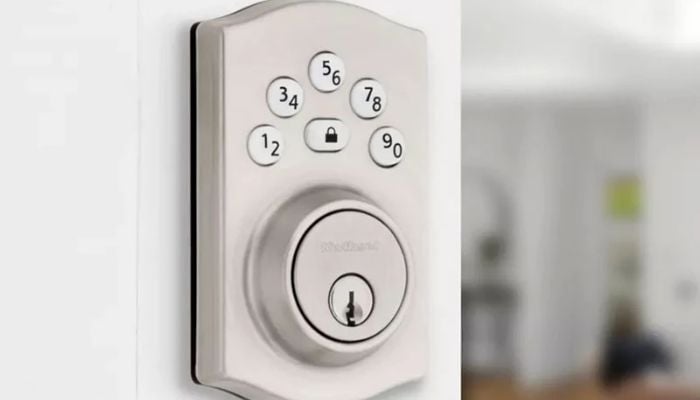
Electronic deadbolts have become a popular way to upgrade residential security without depending on traditional keys. The Kwikset Powerbolt 240 and Kwikset Halo Wi-Fi Smart Lock are both designed for keyless entry, but they target very different users.
Gadinsider has compared both these smart locks to help you choose the right option according to your needs.
Kwikset Powerbolt 240 vs Kwikset Halo Smart Lock specs
| Feature Kwikset Powerbolt 240 Kwikset Halo Wi-Fi | Kwikset Powerbolt 240 | Kwikset Halo Wi-Fi |
Lock type | Electronic keypad deadbolt | Wi-Fi smart keypad deadbolt |
Connectivity | None | 2.4GHz Wi-Fi |
Mobile app | No | Yes |
User codes | Up to 12 | Up to 250 |
Fingerprint | No | No |
Auto-lock | Yes, 30 sec–10 min | Yes |
Battery life | Up to 12 months | Not specified |
| Best deals | Kwikset Powerbolt 240 | Kwikset Halo Wi-Fi |
Kwikset Powerbolt 240 Electronic Deadbolt
The Kwikset Powerbolt 240 is designed for homeowners who want to replace a conventional deadbolt with a keypad-based system without adding another smart-home device to their network.
Pros
- Simple offline keypad operation
- Up to 12 user codes
- Two one-time guest codes
- Backlit keypad
- Up to 12 months of battery life
Cons
- No Wi-Fi or Bluetooth
- No smartphone app
- No remote locking or unlocking
Kwikset Halo Wi-Fi Smart Lock
The Kwikset Halo Wi-Fi Smart Lock allows homeowners to manage the lock remotely without purchasing a separate gateway or bridge.
Through the Kwikset app, users can check the lock's status, manage access codes, review activity, and remotely control the deadbolt.
Pros
- Built-in 2.4GHz Wi-Fi
- Remote locking and unlocking
- Smartphone app management
- Supports up to 250 access codes
Cons
- Requires a reliable 2.4GHz Wi-Fi connection
- More expensive than a basic electronic keypad
- No fingerprint scanner
Which Kwikset deadbolt should you buy?
The Kwikset Powerbolt 240 is the better choice if you want affordable, straightforward keyless entry without apps, Wi-Fi, or smart-home integration. Meanwhile, the Kwikset Halo Wi-Fi Smart Lock is the clear winner for users who want a fully connected smart-lock experience.