Sep 08, 2026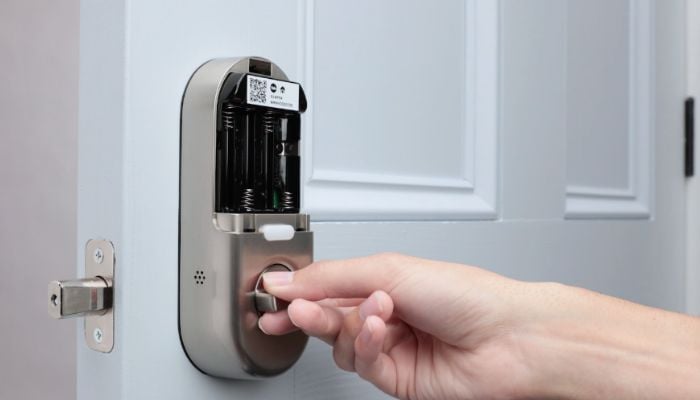
The MiLocks Door Knob with Keypad and Google Nest x Yale Lock provide keyless entry from two very different perspectives. MiLocks focuses on simple keypad and RF remote access for interior doors, while the Nest x Yale Lock combines a touchscreen keypad with connected features through the Google Nest ecosystem.
MiLocks Door Knob vs Google Nest x Yale Lock specs
| Feature | MiLocks Door Knob with Keypad | Google Nest x Yale Lock |
Lock type | Electronic keypad door knob | Smart touchscreen deadbolt |
Connectivity | RF remote | Wi-Fi via Nest Connect |
| Smart-home support | None | Google Assistant, Nest ecosystem |
User codes | Up to 10 | Supports scheduled access codes |
Physical key | Yes | No |
| Security rating | ANSI Grade 3 | Residential deadbolt |
| Best deals | MiLocks Door Knob with Keypad | Google Nest x Yale Lock |
MiLocks Door Knob with Keypad
The MiLocks XKK-02AQ is designed primarily for interior residential spaces, including bedrooms, home offices, supply closets, and rental rooms. Rather than replacing a deadbolt, it replaces a standard door knob and provides keyless access through a backlit keypad.
It also includes RF remote control, giving users another way to unlock the door without entering a PIN.
Google Nest x Yale Lock
The Google Nest x Yale Lock takes a more sophisticated approach, replacing a standard residential deadbolt with a key-free touchscreen lock.
Its backlit keypad eliminates the physical keyway entirely, while the included Nest Connect bridge provides the connection needed for remote control and smart-home functionality.
The lock works with the Nest ecosystem and Google Assistant, allowing users to monitor the lock, manage access codes, and use voice commands.
Which one should you buy?
The MiLocks Door Knob with Keypad makes more sense for users who need a basic keyless lock for an interior door and appreciate having both keypad and RF remote access.
The Google Nest x Yale Lock is the stronger choice for homeowners who want connected keyless access and Google ecosystem integration.