Aug 20, 2026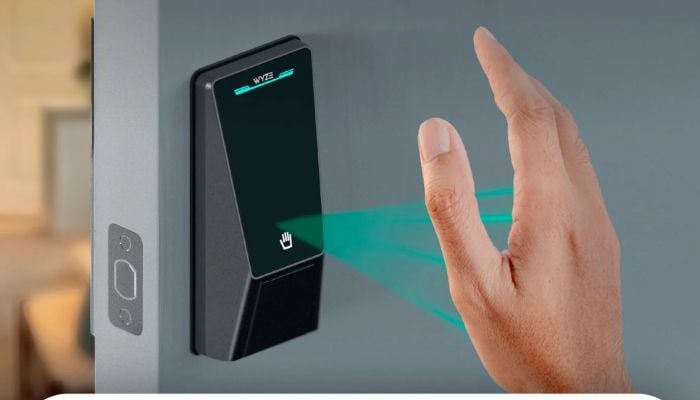
Biometric smart locks are making keyless entry more convenient, but not every model uses the same technology. The Wyze Palm Lock takes a more futuristic approach with contactless palm vein recognition and built-in Wi-Fi, while the MSR X6 focuses on straightforward fingerprint and keypad access in a compact smart door lock.
So, which one offers the better combination of convenience, security, and smart features? Let's compare them.
Wyze Palm Lock vs MSR X6 Smart Door Lock specs
| Feature | Wyze Palm Lock | MSR X6 Smart Door Lock |
Lock type | Biometric keypad smart deadbolt | Biometric smart door lock |
Primary biometric | Palm vein recognition | Fingerprint |
Keypad | Touchscreen PIN | Backlit keypad |
Wi-Fi | 2.4GHz Wi-Fi | No native Wi-Fi |
Bluetooth | Yes | Not specified |
Mobile app | Wyze App | No remote app control |
Physical key | Yes | Yes |
| Best deals | Wyze Palm Lock | MSR X6 Smart Door Lock |
Wyze Palm Smart Door Lock
The Wyze Palm Lock stands out immediately because it replaces conventional fingerprint recognition with contactless palm vein scanning.
Instead of pressing a finger against a sensor, users simply hover their hand over the reader while the lock identifies the unique vein patterns beneath the skin.
Pros
- Contactless palm vein recognition
- Built-in 2.4GHz Wi-Fi
- Bluetooth connectivity
- Wyze app remote management
- Alexa and Google Assistant support
Cons
- No Apple HomeKit support
- IP53 rating is lower
- Requires a stable 2.4GHz Wi-Fi connection
MSR X6 Biometric Smart Door Lock
Rather than using palm recognition, MSR X6 relies on a fingerprint scanner and backlit keypad to provide keyless access.
Its lever-style design makes it suitable for a variety of residential and office applications, including apartments, bedrooms, home offices, and some front-door installations.
Pros
- Fast fingerprint-based access
- Backlit keypad for PIN entry
- Physical backup keys
- Automatic locking
Cons
- No native Wi-Fi connectivity
- No remote access from outside
- No stated smart-home integrations
Which smart lock should you buy?
The Wyze Palm Lock is the better overall choice for users who want a modern connected smart lock with advanced biometric technology.
The MSR X6 makes more sense for buyers who simply want fingerprint and keypad access without paying for a connected ecosystem.