May 21, 2026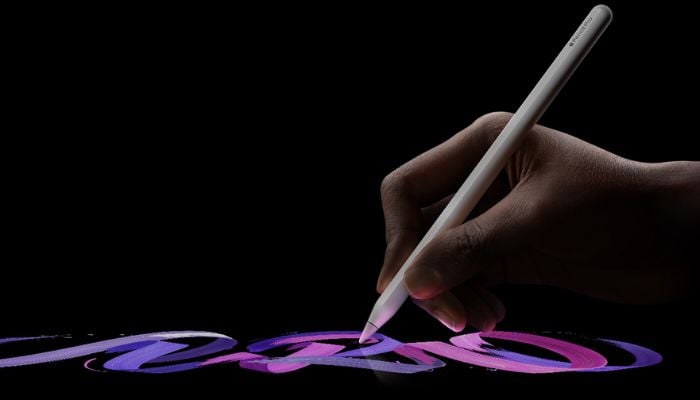
Are you an iPad user who loves taking notes, sketching ideas, or creating digital artwork? Apple Pencil Pro is designed to make such everyday tasks feel smoother and more creative.
Although it looks very similar to previous Apple Pencil models, this latest version introduces several advanced features that provide overall convenience for students, artists, and professionals.
The Apple Pencil Pro combines Apple’s familiar lightweight design with new gesture controls, haptic feedback, and improved creative tools that make drawing and note-taking even more intuitive.
Apple Pencil Pro specifications
- Pixel-perfect precision
- Tilt and pressure sensitivity
- Squeeze gesture support
- Built-in haptic feedback
- Apple Pencil Hover support
- Double tap gesture controls
- Magnetic pairing and charging
- Bluetooth connectivity
- Compatible with latest iPad Pro, iPad Air, and iPad mini models
- Supports iPadOS 17.5 or later
Pros
- Useful squeeze and barrel roll controls
- Comfortable lightweight design
- Magnetic charging and pairing
- Haptic feedback improves usability
Cons
- Compatible only with latest iPad models
- Expensive for casual users
- Few visible design changes from older model
Lightweight and comfortable design
The Apple Pencil Pro keeps the same familiar design language as previous Apple Pencil models. The matte finish feels comfortable during long usage sessions, while the flat edge helps improve grip and allows magnetic attachment to the iPad.
Pixel-perfect precision
One of the standout features of Apple Pencil Pro is its highly accurate input response. The stylus delivers precise strokes with very low latency, making writing and drawing feel natural and responsive.
Squeeze gesture controls
A major upgrade in Apple Pencil Pro is the new squeeze gesture feature. Simply squeezing the stylus opens a quick tool palette that allows users to switch brushes, colours, or line thickness instantly.
Barrel roll functionality
The Pencil Pro introduces a built-in gyroscope that supports barrel roll gestures. Users can rotate the stylus for more precise control over shaped brushes and pen tools.
Haptic feedback support
The built-in haptic engine adds subtle vibration feedback when certain actions are performed. Whether switching tools or activating gestures, the small vibration confirms the action instantly.
Apple Pencil Hover
Apple Pencil Hover allows users to preview exactly where the stylus will touch the screen before making contact. This improves precision while sketching, writing, or editing images.
Overall, the Apple Pencil Pro delivers what creative iPad users expect from a premium stylus: precision, comfort, smart controls, and practical features that enhance productivity.