Tech Desk
  May 13, 2026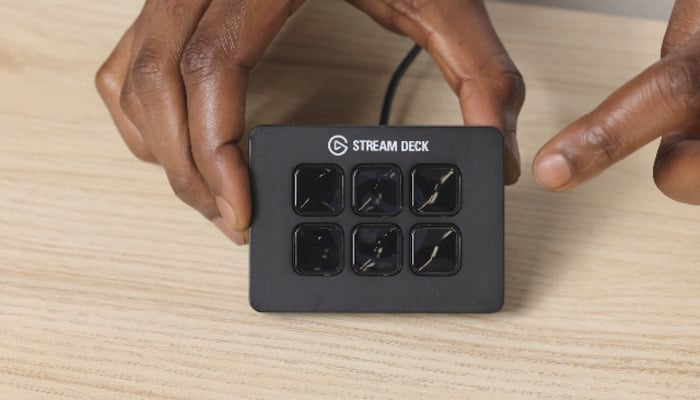
The dream wishes of a seasoned streamer mostly involve the ability to reply to chats, switch scenes in OBS Studio, and mute microphone for a second, all while live-streaming your niche content. This is where the Elgato Stream Deck Mini kicks in. In the midst of full-fledged chaos.
Elgato Stream Deck Mini complements streamers by allowing them to simply tap a brightly lit key on the desk. No need to memorise keyboard shortcuts or juggle multiple windows simultaneously. This is the biggest convenience that makes the Elgato Stream Deck Mini a compelling little gadget.
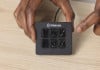
Although compact in size, the Stream Deck Mini is immensely powerful. It comes with six customisable LCD keys that can display icons, animations, or shortcuts depending on your setup.
While six buttons may initially sound limiting, Elgato cleverly goes around that issue through folders and virtual pages within its free Stream Deck software. This eventually lets users access unlimited actions.
Key specs of Elgato Stream Deck Mini
- 6 customisable LCD shortcut keys
- Compact 84 x 60 x 58 mm design
- Lightweight 160 g body
- Integrated 1.5m USB 2.0 cable
- Fixed 45-degree angled stand
- Non-slip grip base
- OBS Studio native integration
- Supports Twitch, Zoom, Photoshop, Teams
- Multi-action command support
- Windows and macOS compatibility
Pros
- Extremely easy workflow control
- Excellent software integrations
- Compact and desk-friendly
Cons
- Only six physical buttons
- No wireless connectivity
- Fixed non-removable cable
The most noteworthy property of the Stream Deck Mini is the amount of time and effort it can save you.
The streaming companion can be directly integrated with apps like OBS Studio, Twitch, YouTube, Zoom, Microsoft Teams, and even Adobe Photoshop.
No matter whether you are a streamer, video editor, designer, or someone constantly hopping between meetings and workflows, the Stream Deck Mini can automate repetitive tasks with a single press.
Another commendable feature is its multi-action support. One key can simultaneously launch apps, switch audio profiles, and prepare your streaming setup instantly.
Elgato also allows advanced key logic. It means a single button can perform several actions depending on whether you single-press, double-press, or hold it down.
The hardware itself is compact footprint that easily fits beside a keyboard, while the fixed 45-degree stand makes the keys easy to reach while using. The non-slip base is also there to keep the stand stable during intense sessions.
The only drawback is that power users may quickly outgrow the six-key layout and wish for a larger Stream Deck model. The fixed cable and lack of wireless support also feel slightly dated in 2026.
Yet, for streamers, creators, and productivity enthusiasts, the Elgato Stream Deck Mini is one of those gadgets that make a huge difference in the workflow. Once you're on it, going back to keyboard shortcuts would surely feel complicated.