Sep 13, 2026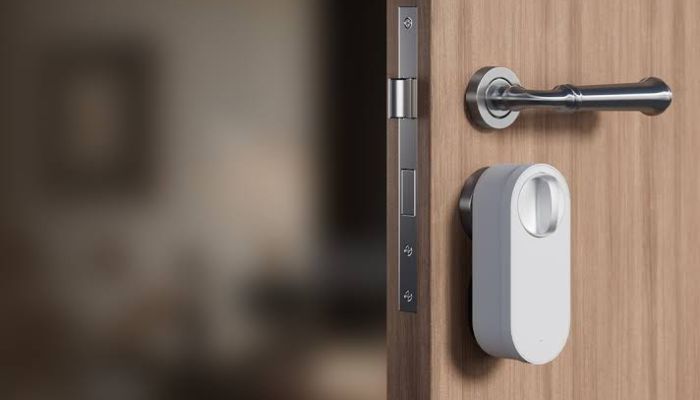
Choosing a smart lock in 2026 is no longer simply about replacing your keys with a keypad. Today's best smart locks can easily recognise fingerprints, unlock with a phone or smartwatch, connect directly to Wi-Fi, work with major smart-home platforms and, in some cases, let you tap an iPhone or Apple Watch against the lock to get inside.
For this guide, we focused on what matters most in everyday use: security, unlocking options, connectivity, installation, smart-home compatibility, battery requirements and overall convenience.
Our picks cover five different priorities, from the premium Schlage Encode Plus to the retrofit-friendly August Wi-Fi Smart Lock.
Best smart locks in 2026 at a glance
| Smart lock | Best for | Key feature | Connectivity | Entry methods |
| Schlage Encode Plus | Best overall | Apple Home Key + built-in Wi-Fi | Wi-Fi, Bluetooth | Keypad, app, Apple Home Key, physical key |
Yale Assure Lock 2 | Best versatile option | Modular configurations | Bluetooth/Wi-Fi/Z-Wave depending on model K | Keypad/touchscreen, app, key depending on version |
Aqara Smart Lock U200 | Best value | Matter + Apple Home Key | Thread, Bluetooth, NFC | Fingerprint, PIN, Home Key, NFC, app, key |
ULTRALOQ U-Bolt Pro WiFi | Best fingerprint option | 360-degree fingerprint reader | Wi-Fi, Bluetooth | Fingerprint, PIN, app, voice, key and more |
August Wi-Fi Smart Lock | Best retrofit option | Keeps existing exterior deadbolt | Wi-Fi, Bluetooth | App, auto-unlock, voice, existing key |
1. Schlage Encode Plus — Best overall
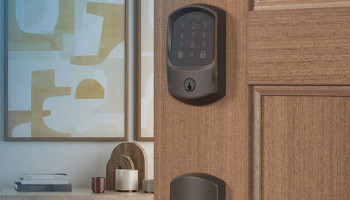
The Schlage Encode Plus is the smart lock we would recommend to most homeowners who want a conventional deadbolt replacement without sacrificing modern smart-home features.
Its biggest advantage is that it brings together several features that buyers often have to compromise on. You get a full deadbolt replacement, keypad access, smartphone control, built-in Wi-Fi and Apple Home Key support, making it particularly attractive to households already invested in Apple's ecosystem.
Schlage positions its smart deadbolts around strong physical security rather than treating the lock purely as a connected gadget.
| Specification | Schlage Encode Plus |
Lock type | Smart deadbolt |
Connectivity | Built-in Wi-Fi and Bluetooth |
Entry methods | Keypad, smartphone, Apple Home Key, physical key |
Smart-home support | Apple Home, Alexa and other supported platforms |
| Security | BHMA Grade 1 |
| Power | 4 AA batteries |
Installation | Full deadbolt replacement |
Performance
In everyday use, the Encode Plus feels more like a conventional premium deadbolt with smart technology built into it than a gadget bolted onto your door.
The keypad provides a familiar way to enter without a phone, while app-based control adds remote access when you're away from home.
The main limitation is that its feature set is particularly attractive to people who are comfortable with a more premium smart-home lock.
Pros
- Built-in Wi-Fi
- Apple Home Key
- Strong physical security
- Multiple access methods
Cons
- Premium pricing
- No fingerprint reader
- Full replacement
2. Yale Assure Lock 2 — Best versatile option
The Yale Assure Lock 2 takes a different approach. Instead of forcing every buyer into exactly the same connectivity and access setup, Yale offers the Assure Lock 2 in different configurations.
Yale's current Assure Lock 2 range includes different versions covering technologies such as Bluetooth, Wi-Fi, fingerprint access and Apple Home Key.
The company also offers keyed and key-free variants, giving buyers considerably more choice within the same product family.
| Specification | Yale Assure Lock 2 |
| Lock type | Smart deadbolt |
Entry options | Keypad/touchscreen, app and other options depending on version |
Smart-home compatibility | Varies by module/version |
Installation | Replaces existing deadbolt |
Auto-lock | Yes |
Best suited for | Buyers wanting flexibility |
Key backup | Available on keyed versions |
Performance
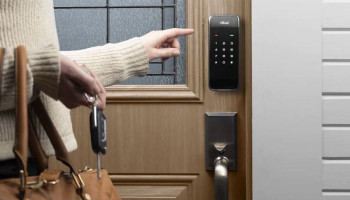
The Assure Lock 2's touchscreen is easy to use in situations where carrying a phone is inconvenient, while app-based access can be useful for remote management and temporary access.
The ability to choose different modules also means the lock can fit into a wider variety of smart-home environments.
Pros
- Highly configurable
- Established lock brand
- Touchscreen/keypad convenience
- Smart-home flexibility
Cons
- Configuration can be confusing
- Some features require specific modules
- Less straightforward than a single-purpose lock
3. Aqara Smart Lock U200 — Best value
The Aqara Smart Lock U200 is hands down the most interesting choice on this list for buyers who want a lot of modern functionality without stepping into the highest-end price category.
Rather than relying on a conventional full deadbolt replacement, the U200 is designed as a retrofit solution.
| Specification | Aqara Smart Lock U200 |
Lock type | Retrofit smart lock |
Connectivity | Thread, Bluetooth 5.1, NFC |
Smart-home support | Apple Home, Alexa, Google Home, SmartThings, Aqara |
Matte | Yes, over Thread |
Keypad rating | IPX5 |
Battery | Rechargeable Li-ion battery |
Best suited for | Value-focused smart-home users |
Performance
The Aqara Smart Lock U200's biggest strength is how much functionality it packs into a retrofit design. Instead of choosing between a fingerprint lock and an Apple Home Key lock, for example, buyers can have access to both.
Installation is another strong point, although compatibility should be checked carefully before buying.
Pros
- Excellent feature-to-price ratio
- Matter over Thread
- Apple Home Key
- Fingerprint access
Cons
- Compatibility needs checking
- Matter setup can be complicated
- Not a conventional full deadbolt replacement
4. ULTRALOQ U-Bolt Pro WiFi
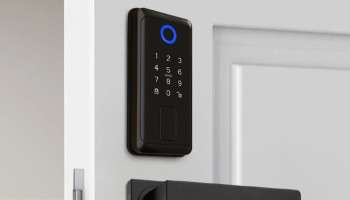
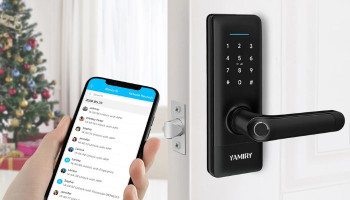
If your priority is walking up to the door and getting inside with your fingerprint, the ULTRALOQ U-Bolt Pro WiFi is the right option on the list.
Instead of making smartphone access the center of the experience, ULTRALOQ gives biometric access equal importance. The U-Bolt Pro WiFi is also built around direct Wi-Fi connectivity, so homeowners do not need to add a separate bridge just to connect the lock to their network.
| Specification | ULTRALOQ U-Bolt Pro WiFi |
Lock type | Fingerprint smart deadbolt |
Connectivity | 2.4GHz Wi-Fi and Bluetooth |
Fingerprint capacity | Up to 100 fingerprints |
| User/passcode capacity | Up to 50 users/codes |
Entry methods | Fingerprint, PIN, app, voice, eKey and physical key |
| Security | ANSI Grade 1 |
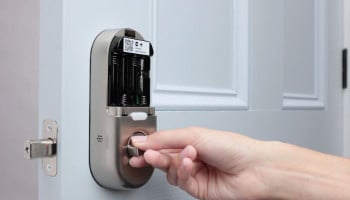
Power | 4 AA batteries |
Performance
The U-Bolt Pro WiFi is at its best when fingerprint access becomes your primary method of entry. Once fingerprints are registered, unlocking the door can be considerably quicker than opening an app or entering a PIN.
The keypad provides an important secondary option, particularly for visitors who should not have permanent biometric access.
Pros
- Fast fingerprint entry
- Multiple unlocking methods
- Built-in Wi-Fi
- Grade 1 security
Cons
- Wi-Fi can increase battery consumption
- 2.4GHz Wi-Fi limitation
5. August Wi-Fi Smart Lock
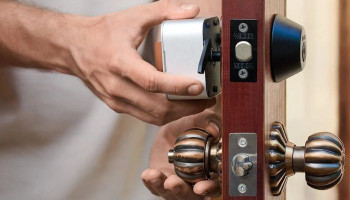
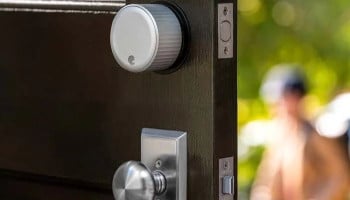
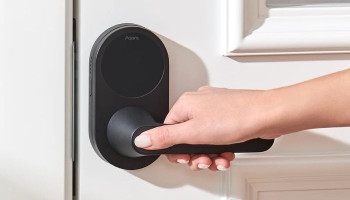
The August Wi-Fi Smart Lock is the obvious choice for anyone who doesn't want to replace the outside of their existing deadbolt.
Rather than removing the exterior lock hardware, August installs on the inside of a compatible single-cylinder deadbolt.
This makes the August Wi-Fi Smart Lock particularly attractive to homeowners who like their existing hardware, and people who want a smart upgrade without making the exterior of their door look dramatically different.
| Specification | August Wi-Fi Smart Lock |
Lock type | Retrofit smart lock |
Generation | 4th generation |
Connectivity | Wi-Fi and Bluetooth |
Entry methods | Smartphone, auto-unlock, voice control, existing physical key |
Door sensor | DoorSense included |
Installation | Interior retrofit |
Performance
The August takes a different approach from every other lock here. The automatic unlock function is arguably the most convenient feature. When configured correctly, the lock can recognize your arrival and unlock without requiring you to manually open an app.
Pros
- Excellent retrofit design
- Existing key still works
- Built-in Wi-Fi
- Automatic unlocking
Cons
- No built-in keypad
- Compatibility matters
How we tested smart locks
For this guide, we looked at smart locks from the perspective of how they perform as door hardware first and connected devices second. A smart lock needs to do more than unlock through an app; it needs to feel dependable every time someone uses the door.
Our evaluation therefore considers the installation process, hardware design, locking and unlocking behaviour, keypad responsiveness, fingerprint recognition where available, connectivity stability, battery requirements, backup-entry options and compatibility with major smart-home ecosystems.
We also examine how practical each access method is in real household situations—for example, whether a guest can enter without downloading an app, whether a homeowner can still get inside when a phone battery is dead, and whether the lock can be managed remotely when the user is away.
Rather than declaring one lock universally superior, we assign each model a specific role based on the features that make the most meaningful difference to that type of buyer.
Which smart lock should you buy?
There is no single smart lock that makes sense for every household. The Schlage Encode Plus is the strongest all-round choice if you want a premium full deadbolt replacement with built-in connectivity and Apple Home Key.
The Yale Assure Lock 2 makes more sense if flexibility is your priority and you want to choose between different configurations and smart-home technologies.
The Aqara Smart Lock U200 is particularly compelling when you want modern features such as Matter, Home Key and fingerprint access.
The ULTRALOQ U-Bolt Pro WiFi is the clear pick for buyers who want fingerprint access to be central to their daily routine.
And if you simply want to make an existing deadbolt smarter without changing the exterior hardware, the August Wi-Fi Smart Lock remains one of the most practical options.
FAQs
1. Are smart locks actually secure?
Yes, a well-designed smart lock can provide strong physical security alongside digital access.
However, buyers should look at the underlying hardware, security certification, access controls and backup-entry system rather than judging security solely by the number of smart features.
2. Can a smart lock still work if the Wi-Fi goes down?
In many cases, yes. Most smart locks retain local unlocking methods such as a keypad, fingerprint reader, Bluetooth connection or physical key.
3. Do smart locks need Wi-Fi?
No. Not every smart lock requires Wi-Fi. Some use Bluetooth, while newer models can use Thread or Matter. Wi-Fi is primarily useful when you want remote access, cloud-based notifications or certain smart-home functions.
4. Are smart locks difficult to install?
Installation depends heavily on the design. Full deadbolt replacements generally require more work because the existing hardware is removed.
6. Are fingerprint smart locks better than keypad locks?
Not necessarily. Fingerprint locks can be faster and more convenient for regular users, but keypad locks are often easier for sharing access with guests, family members and service providers.
Why trust Gadinsider?
At Gadinsider, we approach smart-home products from the perspective of the person who ultimately has to live with them, meaning looking beyond a manufacturer's feature list.
A smart lock may advertise multiple unlocking methods, Wi-Fi connectivity and smart-home integration, but those features are only useful when they work reliably and fit the way a household actually uses its front door.
Our buying guides focus on the practical differences between products: how they install, how they connect, how people can unlock them, what happens when batteries run low and which smart-home ecosystems they support.
We also separate products by use case rather than declaring every expensive model the "best."