Jan 09, 2026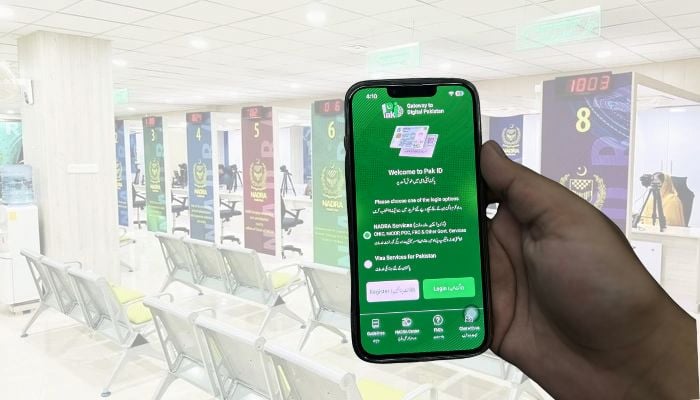
If you're seeking ways to modify your Computerised National Identity Card (CNIC) or National Identity Card for Overseas Pakistanis (NICOP), Gadinsider has got you a solution that you can follow to modify the ID card.
The National Database and Registration Authority (Nadra) said: "Citizens can easily get their CNIC or NICOP modified through the Pak-ID mobile application from the comfort of their home without standing in long queues and waiting for their turn."
Here's a step-by-step guide on how can you modify your CNIC or NICOP:
- Download the Pak-ID mobile app on your smartphone with ease and convenience from the comfort of your home.
- Or if you already have the app on your mobile phone, then log in to your account.
- Go to the 'ID Documents' category, and select 'ID Card' option.
- Choose 'Myself' for yourself and 'My Blood Relatives' for family members like parents, siblings, spouse or minors. Remember that your family member for whom you are applying should be present with you.
- Click on 'Update Card' on the next screen.
- After this, the application details screen will appear.
- In 'Card Delivery Address' enter that address where want to collect the card.
- Apart from independent and RG address, you can select Nadra centre or other address.
- After this, select the processing category.
- In the 'Executive' category, ID card will be issued in seven days after the payment of fees
- In the 'Urgent' category, ID card will be issued in 12 days after the payment of fees.
- In the 'Normal' category, after the payment of fees, ID card will be issued in 30 days.
- Tap on 'Start Application' option.
- On the next screen, press the '+' sign and choose the information you want to modify from the list provided; click the 'Confirm Selection' option and then click on 'Next'.
- Complete the required process.
- After you have completed the required process, Nadra will take necessary action on your request.
- If the request is approved, a 'Pay Now' option will appear to right of your 'Tracking ID'.
- Click on this option; In case of NICOP, you can pay fees through debit or credit card.
- Whereas, in case of CNIC, you can pay fees through debit/credit card or any other facility like JazzCash, Raast, E-sahulat, or Easypaisa.
After the payment of fees, Nadra will issue your CNIC or NICOP within the Stipulated time (according to your selected processing category).