Apr 10, 2026
Instagram has officially announced a small but very useful update for its users, allowing them to edit their comments on the post, which other people will be able to see that it’s been edited.
Meta-owned social media platform said that users now have the option to edit comments, which is a long-awaited fix for anyone who’s ever had to delete and re-post a comment just to fix a typo. However, there’s a catch. You only get a 15-minute window after posting to make changes. Within those 15 minutes, though, you can edit your comment as many times as you want.
Moreover, It is important to note that only text can be edited. If your comment includes both text and a photo, you can fix the wording, but the image itself is stuck as-is.
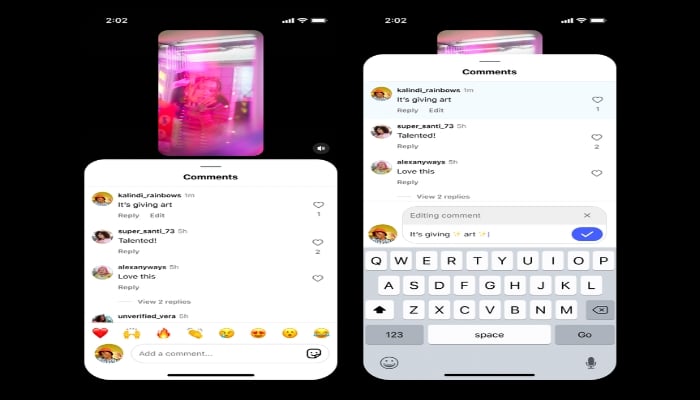
How to edit Instagram comment
This update seems minor, but it showcases a broader effort by Instagram to improve the user experience and address long-standing frustrations. And although the feature is just now being officially announced, some users already spotted it in testing.
- Once you have added a comment on any post.
- Then, users need to long-press (press and hold) their comment.
- Instagram users will find an 'Edit' option that appears directly below the comment.
- Select 'Edit', make your changes, and tap the checkmark or 'Done' to save the updated comment.
It is important to note that Instagram has yet to reveal the official date for the launch of its newer update, as the feature has been in testing with some users since March.