Jan 16, 2026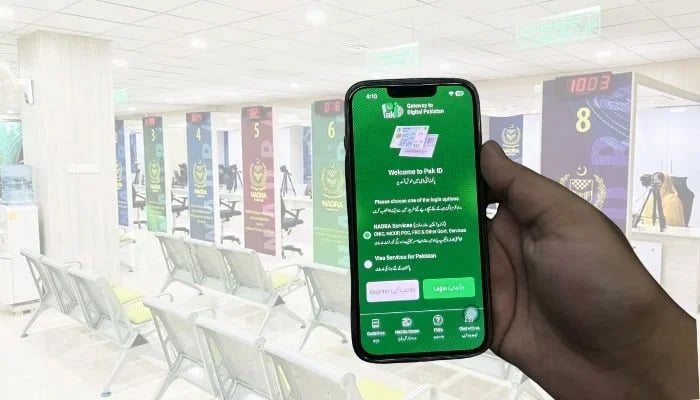
If you're seeking ways to register your child's birth, then don't worry, as the National Database and Registration Authority (Nadra) on Friday announced that parents no longer need to go to the Union Council (UC) for their child's birth registration.
Nadra stated: "Use the Pak ID mobile app and register your birth at your respective UC from home. This facility is currently available in all districts of Punjab, Karachi East, Karachi Central, Naushahro Feroze, Mirpurkhas, Shaheed Benazirabad, Larkana, Jamshoro, Tando Allahyar and Tando Muhammad Khan in Sindh province, and Quetta district in Balochistan."
How to apply for birth registration online
- Log in to your account on the Pak-ID mobile application.
- Select the respective province in the 'Provincial Civil Registration Services' section.
- Then, click on the 'Birth' option.
- Review the list on the next screen and click on the child whose birth you want to enter, and if the child is not present in the list, then tick the empty box at the end of the screen and tap the 'Next' option.
- Provide all the required information in the application, and tap the 'Calculate fee' option.
- As you tapped on the 'Calculate fee' option, the fee will be disclosed.
- Click on the 'Start Application' option.
- On the next screen, the 'Child Details' section will appear, where if your child's information is already registered, then click on 'Yes' and enter the required information below.
- Once you're done with providing all the required details in the application, and have submitted it.
- Nadra will process your application.
- After this, objection to the birth of the child will be raised at the nearest registration centre.
- Then, you have to go to the 'Applications' on the home screen of the Pak-ID app.
- Click on the download icon in front of your application.
- The birth certificate will be downloaded to your ID Vault.
Nadra said that work is underway in other areas and soon this facility will be provided in all districts of Pakistan.